Basic Info
Basic Info tab panel provides basic transceiver information summary. The information on this page is obtained from reading management interface of the transceiver and may not necessarily be the same as what is indicated in its data sheet.
Read Table Info
On-demand read and auto-refresh.
Clicking Read button trigger an on-demand read the transceiver memory.
If you need to periodically refresh, you can enable auto-refresh by enabling Auto Refresh with a polling interval in seconds.
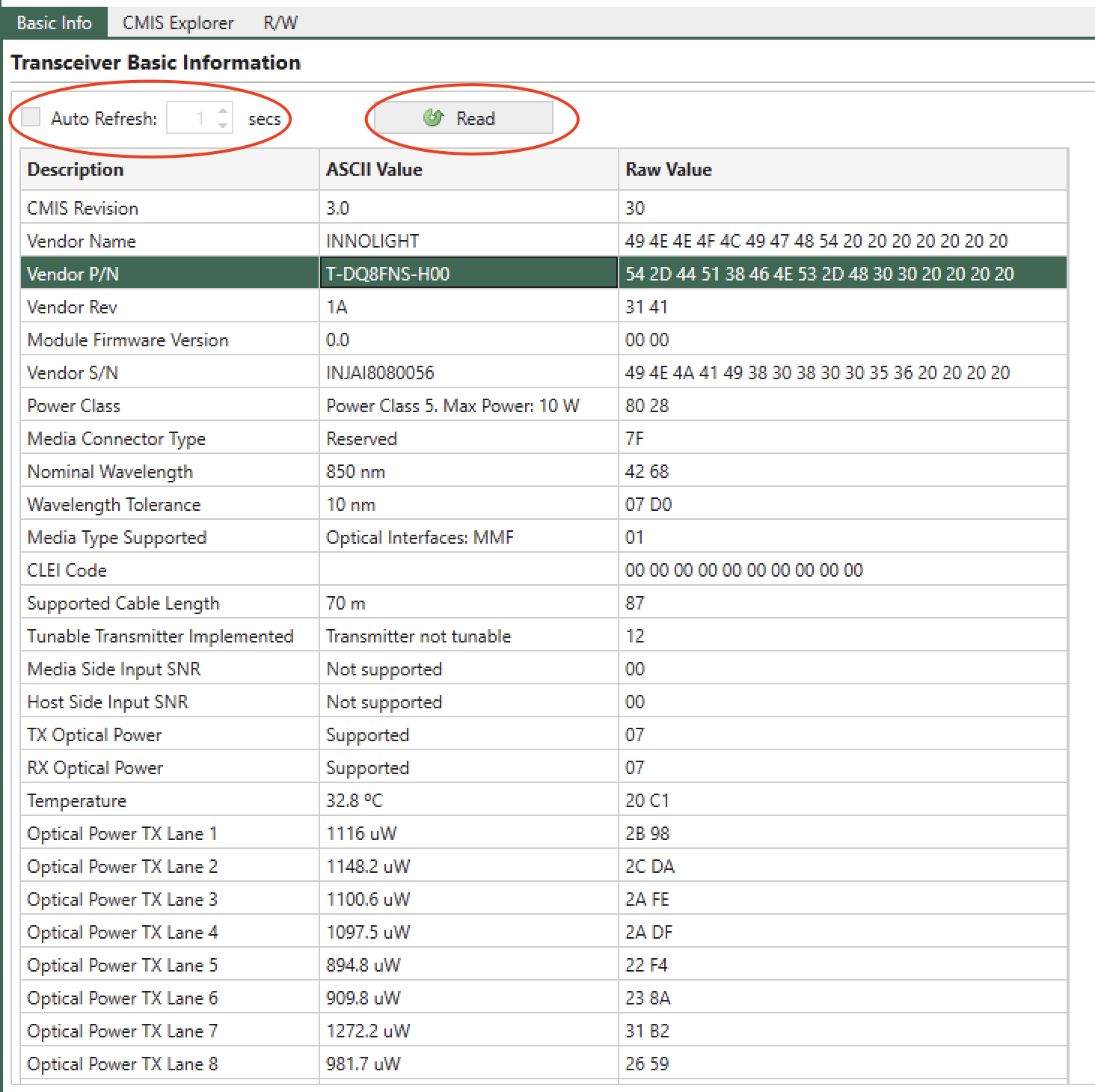
Fig. 5.83 Basic Info Table
Important
The GUI only reads the transceiver memory when you click the tab. Clicking on a port doesn’t trigger a read operation on the transceiver. This is sometimes useful when you don’t want the GUI to interrupt your operations on the transceiver.
Search
The Basic Info table allows you to search the description by Ctrl-F, as shown below.
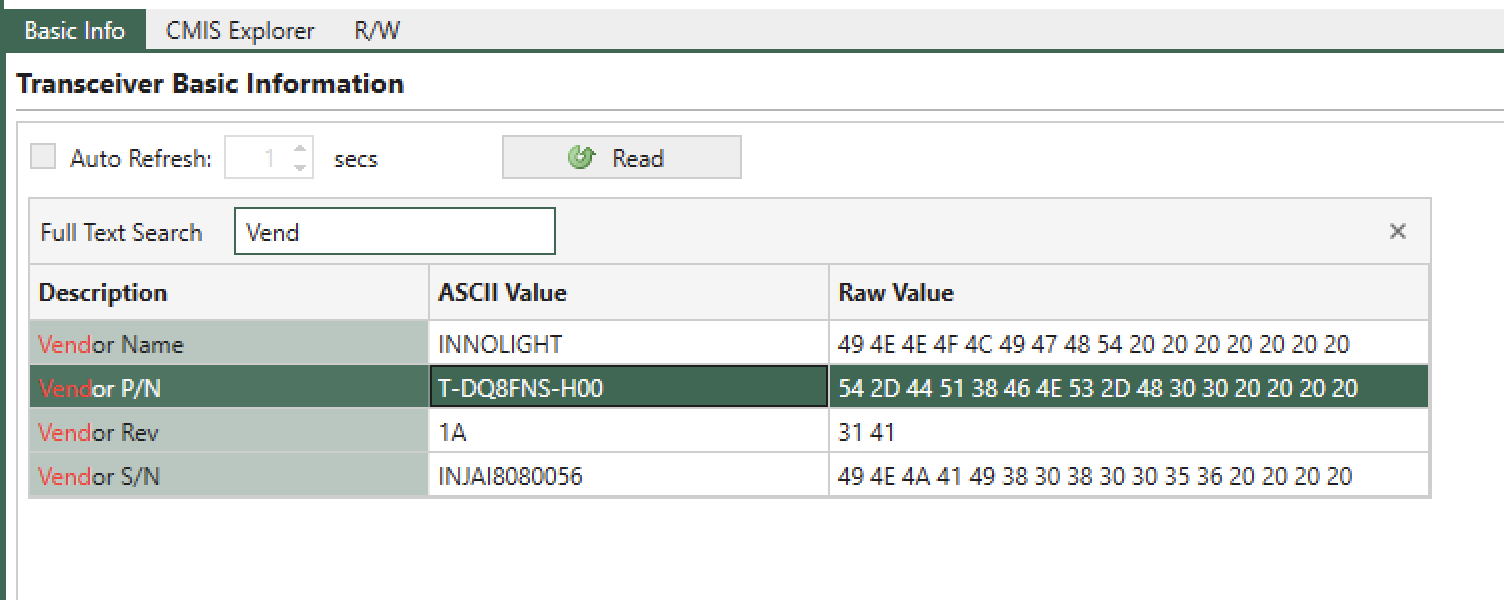
Fig. 5.84 Basic Info Table Search Bar