MACsec Config
Secure Channel Association
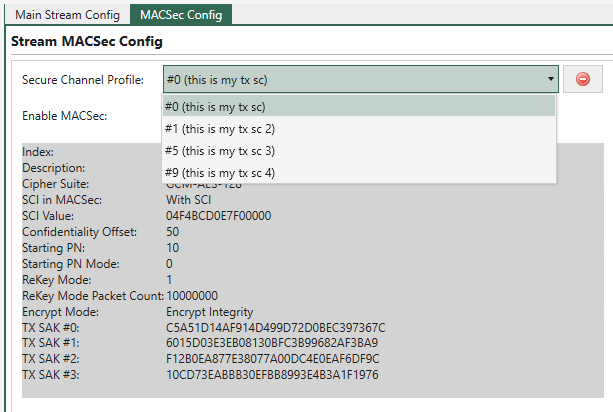
Fig. 5.122 Associate Stream with a TX SC
Use the drop-down list Secure Channel Profile to select a TX SC on the port to associate with the stream. The TX SC will be used to encrypt the stream data.
A preview of the TX SC parameters will be displayed in the gray area so you know which TX SC you are associating with the stream.
Enable MACsec on Stream
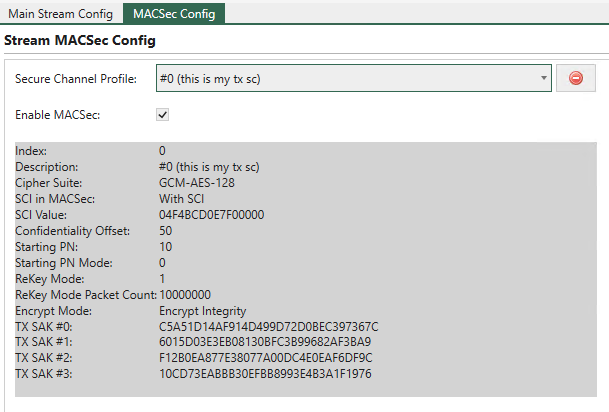
Fig. 5.123 Enable MACsec on Stream
After the association, you can enable MACsec on the stream by selecting Enable MACsec. This will make the stream send MACsec-encrypted packets. If disabled, the stream will send non-MACsec packets.
Important
You should create and configure the stream as usual in the Main Stream Config tab panel. The MACsec configuration is only for the encryption of the stream data.
Important
The frame size of the stream won’t change after enabling MACsec. The frame size is what will be transmitted on the wire. For instance, if the frame size is 128 bytes, enabling MACsec won’t make it larger, even though the MACsec overhead is added. The payload area will be smaller because of the MACsec overhead.