Custom Data Field (CDF)
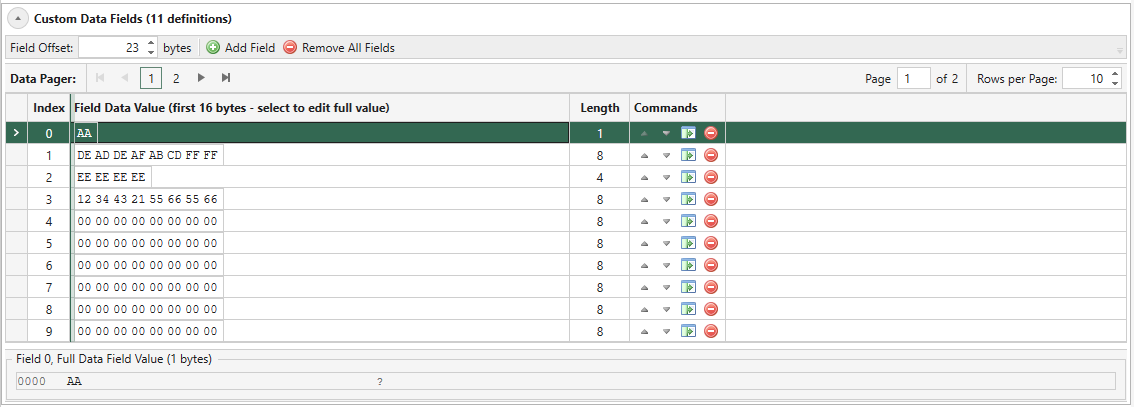
Fig. 5.109 Custom Data Field Editor Overview
Custom Data Field allows you to modify any consecutive bytes in a packet, ranging from one byte to the entire packet. The feature requires that the Payload Mode on the parent port has been set to Custom Data Field. This enables the feature for all streams on this port.
See also
Read more in Freely Programmable Test Packets (Custom Data Fields) for details.
CDF Field Offset
The CDF offset for the stream is the location in the stream data packets where the various CDF data will be placed. All fields for a given stream uses the same offset value. The default value is 0, which means that the CDF data will be placed at the very start of the packet, thus overwriting the packet protocol headers. If you want the CDF data to start immediately after the end of the packet protocol headers you will have to set the CDF field offset manually.
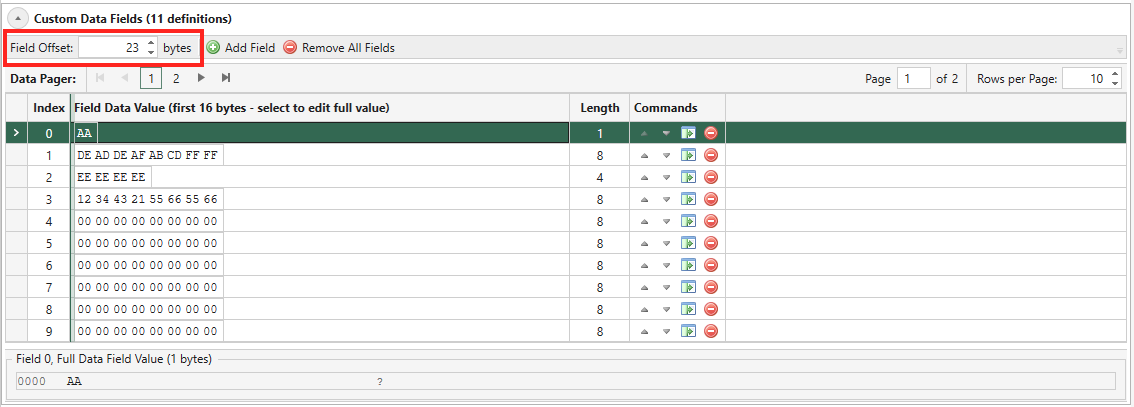
Fig. 5.110 CDF Field Offset
Add/Remove CDF Field
Click the Add Field to start adding a CDF field. Then enter the size of the CDF (by default 8 bytes). This will append a row in the CDF editor table with default values of 00.
You can add more than one CDF fields on a stream. If you have more than one CDF fields on a stream, the stream will generate packet using the CDF fields in a round-robin fashion, which means the first packet uses CDF #0, the second packet uses CDF #1, and so on.
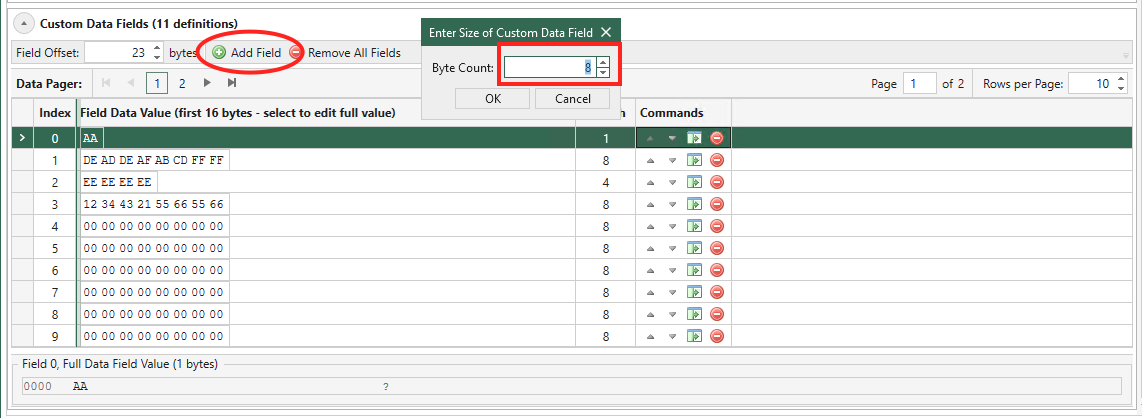
Fig. 5.111 Add CDF Field
Click the Remove button on a CDF to remove it. To remove all CDFs, click the button Remove All Fields.
Fig. 5.112 Remove CDF Field
Edit CDF Field
You can change the CDF index by clicking arrow buttons in Commands as shown above.
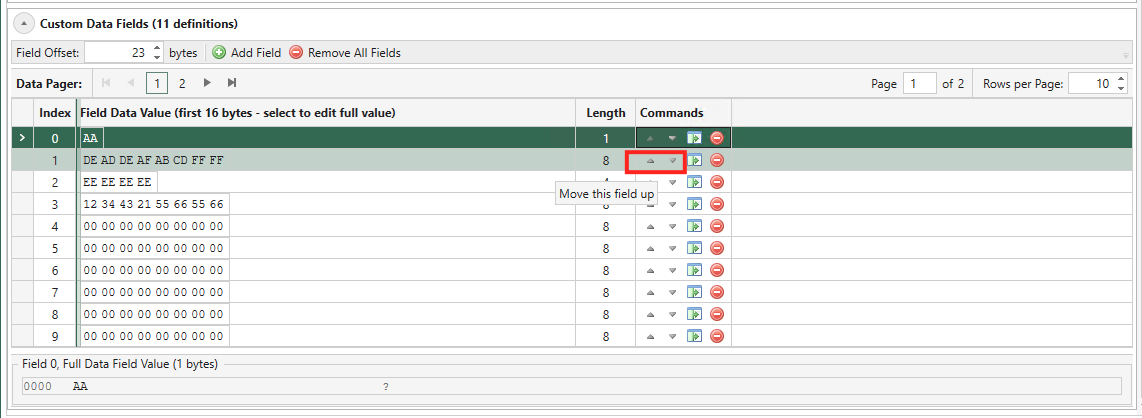
Fig. 5.113 Move CDF Field
You can change the CDF size by clicking third button from the left in Commands as shown above. It is possible to define fields with different data lengths for each stream. If the length of a data field exceeds (packet length - CDF offset) defined for the stream the field data will be truncated when transmitted.
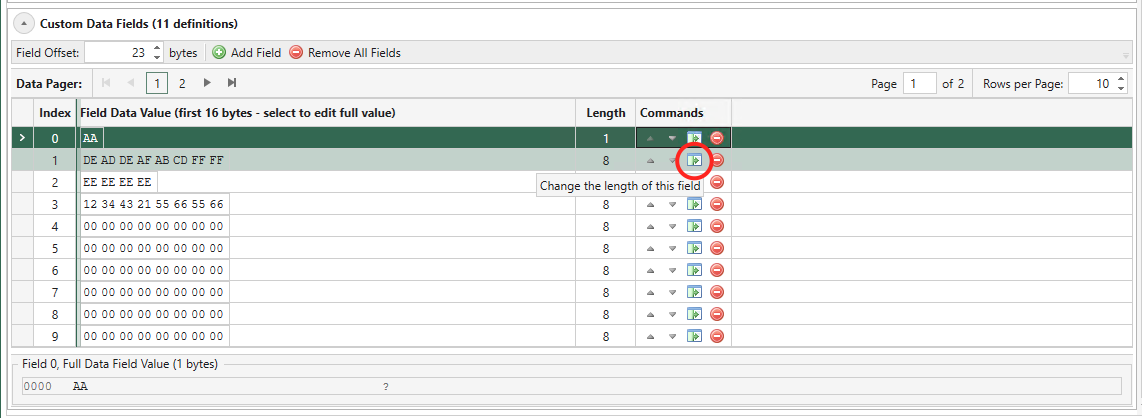
Fig. 5.114 Change Size
To edit the CDF data value, you should use the hex string edit cell.
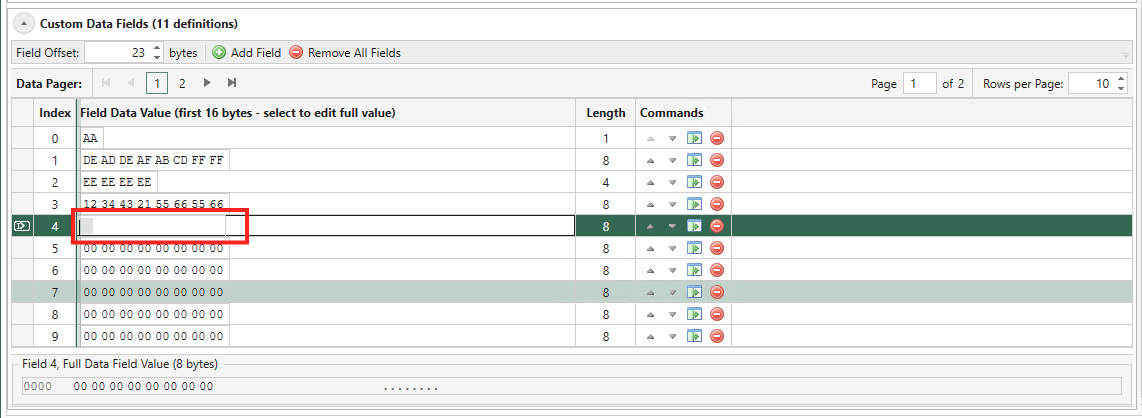
Fig. 5.115 Enter Values
Does My Test Module Support CDF?
In the Port Capabilities part of the Port Properties panel you can see if the test module supports CDFs: If Custom Data Fields Supported is True, the test module supports CDFs (see Fig. 5.116).
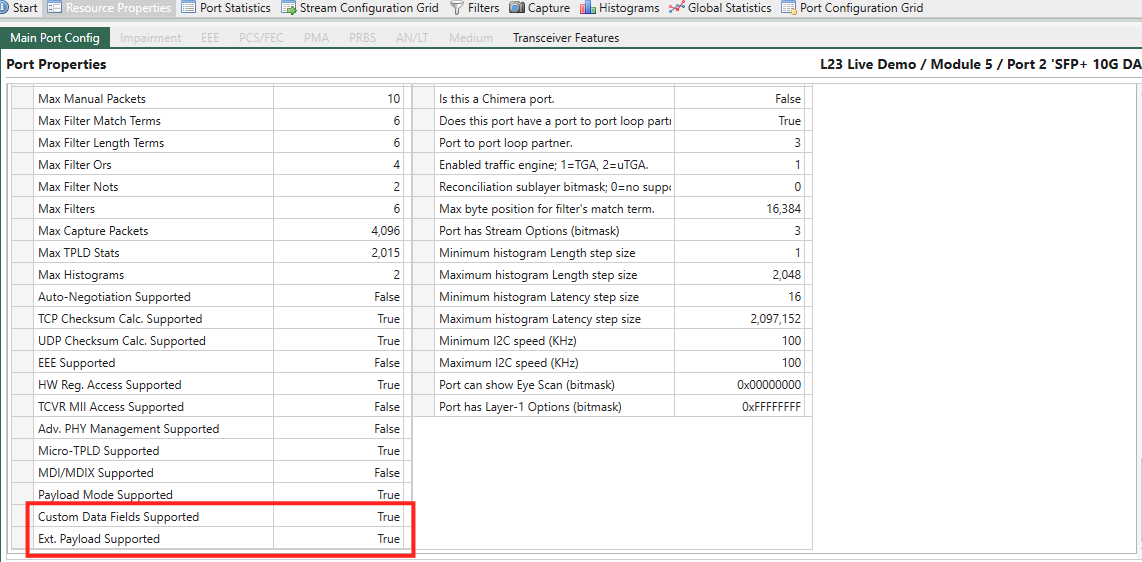
Fig. 5.116 Check if CDF or Ext. Payload is supported
CDF Specifications
The total area available for the CDF function depends on the test module type and port configuration.
Basic CDF specifications per 100G-and-beyond port:
Max number of CDFs: 4096
Max CDF size: Maximum Packet Size for the port.
Max CDF offset = 2032
Max CDF Memory: 262144 bytes (256K bytes)
Note
The Maximum Packet Size for the port is found in the Port Capabilities part of the port properties panel as the Max Packet Length (please observe that different data rates of a port may have different Maximum Packet Size).
When operating the module at lower port speeds, the ports share the above CDF memory and max. number of CDFs per port as follows:
CDF Memory per port = Max 100G-and-beyond CDF Memory / number of ports
Max number of CDFs per port = Max 100G-and-beyond number of CDFs / number of ports
CDF Memory Allocation
The amount of CDF memory used by a single stream is calculated in three steps:
Calculate the CDF size The size of a CDF is a combination of the number of data bytes it contains and its offset into the packet. It is calculated by the following formula:
CDF size = datasize (in bytes) + (offsetbytes_value modulo 8).
For example, a CDF with an offset of 3 and a data size of 234 bytes will have a CDF size of 237 bytes; if the offset is 11, the CDF size is also 237 bytes (11 modulo 8 is 3).
Calculate the CDF block memory size
The CDF memory for each stream is split into blocks, each containing a single CDF. The CDF block sizes are identical for all CDFs on the stream and
2^nbytes long, dimensioned to fit the largest CDF (see step 1). The block sizes can range from 64 bytes to the MTU for the port.As an example: If the largest CDF entry defined for a stream is 237 bytes, the block size will be 256 bytes. Hence, all CDFs for that stream will use 256 bytes of memory, regardless of their individual sizes.
Calculate the CDF memory usage for a single stream
Based on the two steps above, the formula for calculating how much CDF memory a single stream uses is:
Stream CDF memory usage = CDF_memory_block_size * number_of_CDFs
Hence, if the stream described in the example above has 500 CDFs, the total used CDF memory for the stream is: 256 bytes * 500 = 128000 bytes.
Modifiers on CDF
Modifiers cannot be set on CDFs as the feature itself can be viewed as having some of the same characteristics as the modifier option but on a much larger scale.
Tip
You can see CDF as a stream modifier. When multiple CDFs are applied to a stream, the resulting packets appear as if they have an intricate modifier. This modifier varies in both size and values.