P_LOOPBACK
code: 122
# set
<module-index>/<port-index> P_LOOPBACK <mode>

# get
<module-index>/<port-index> P_LOOPBACK ?
Description
The loopback mode for a port. Ports can be configured to perform two different kinds of loopback:
Off: Traffic flows naturally out of the port (illustrated in Fig. 3.3)
External Rx-to-Tx loopback (illustrated in Fig. 3.5), where the received packets are re-transmitted immediately. The packets are still processed by the receive logic, and can be captured and analyzed.
L1 Rx-to-Tx: Any received packet is bounced back through Tx
L2 Rx-to-Tx: Same as L1 Rx-to-Tx yet it also swaps SRC MAC address with DST MAC address
L3 Rx-to-Tx: Same as L1 Rx-to-Tx yet it also swaps SRC IP address with DST IP address
Internal Tx-to-Rx loopback (illustrated in Fig. 3.4), where the transmitted packets are received directly by the port itself. This is mainly useful for testing the generated traffic patterns before actual use.
Tx(on)-to-Rx: Packet goes out of Tx but also internally direct to Rx
Tx(off)-to-Tx: Packet goes directly to Rx (No link sync needed)
Port-to-port: Any received packet goes out through the neighbor port (illustrated in Fig. 3.6)
Actions
set, get
Parameters
mode: byte, the loop back mode of the port
NONE = 0
L1RX2TX = 1
L2RX2TX = 2
L3RX2TX = 3
TXON2RX = 4
TXOFF2RX = 5
PORT2PORT = 6
Example
# set
input:  0/1 P_LOOPBACK NONE
output: <OK>

# get
input:  0/1 P_LOOPBACK ?
output: 0/1 P_LOOPBACK NONE
Illustrations
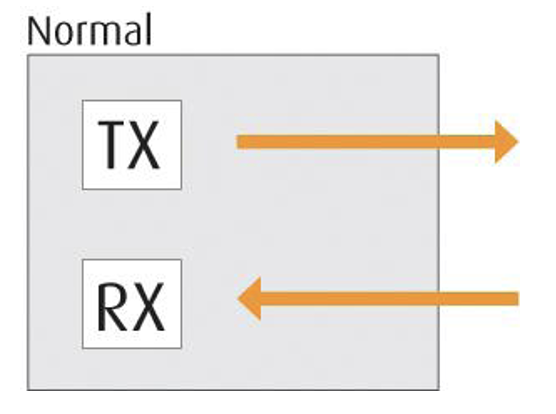
Fig. 3.3 Loopback Mode - Normal
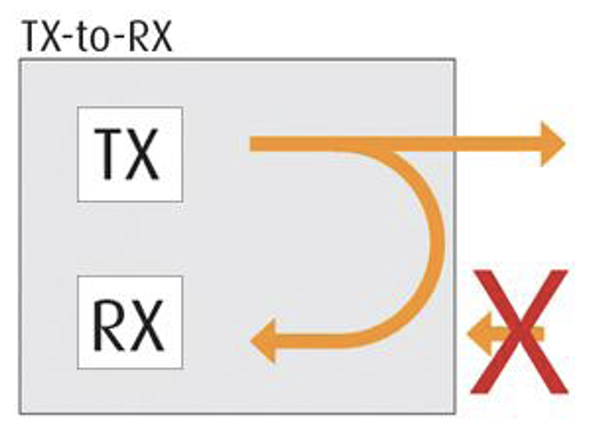
Fig. 3.4 Loopback Mode - Tx-to-Rx
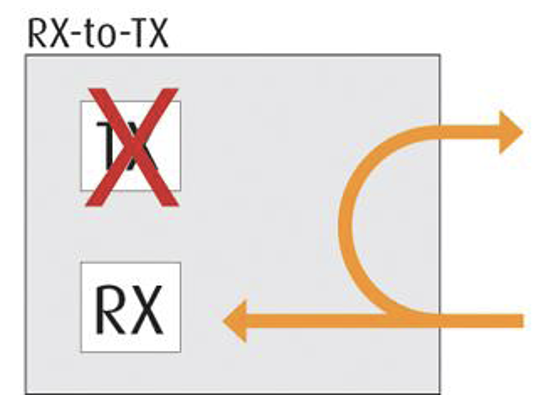
Fig. 3.5 Loopback Mode - Rx-to-Tx
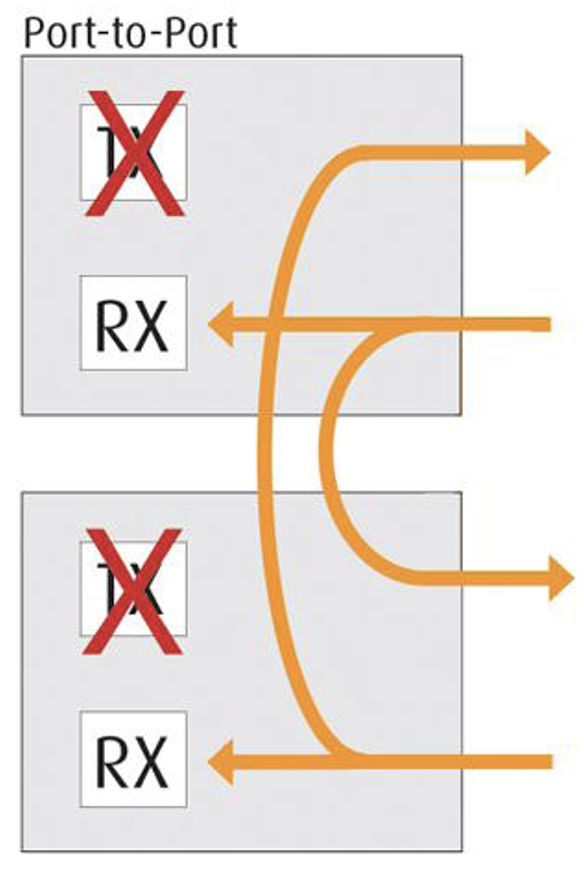
Fig. 3.6 Loopback Mode - Port-to-Port